
Search the web or scroll through popular websites, and you will almost certainly run into enticing promotions: “Microsoft Office 365 ProPlus – 5 Devices, Lifetime Use, Instant Activation – One-Time Payment of $19.99.”
At a fraction of Microsoft’s official subscription price, these deals sound like a bargain. But behind the professional storefronts and sponsored ad badges lies a widespread grey-market scam. Understanding how this scheme operates-and why bad ads appear even on trusted ad platforms-can save you from lost money, revoked access, and compromised personal data.
The Core Deception: Why “Lifetime” Office 365 Doesn’t Exist
To spot the scam, you first need to understand Microsoft’s official software licensing model:
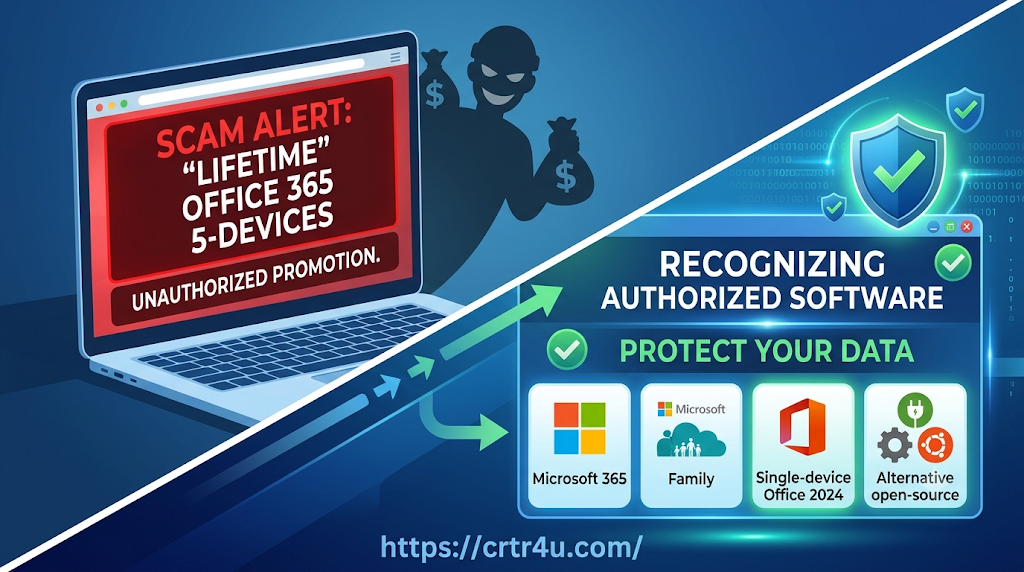
- Microsoft 365 (formerly Office 365): This is purely a cloud-connected subscription service. Users pay either monthly or annually. In exchange, up to 5 devices per account can run the apps, and each user receives 1 TB of private OneDrive storage alongside ongoing feature updates.
- Microsoft Office Standalone (e.g., Office Home 2024): This is a true one-time purchase. However, it only licenses a single PC or Mac, does not include 1 TB of OneDrive storage, and does not provide major feature upgrades.
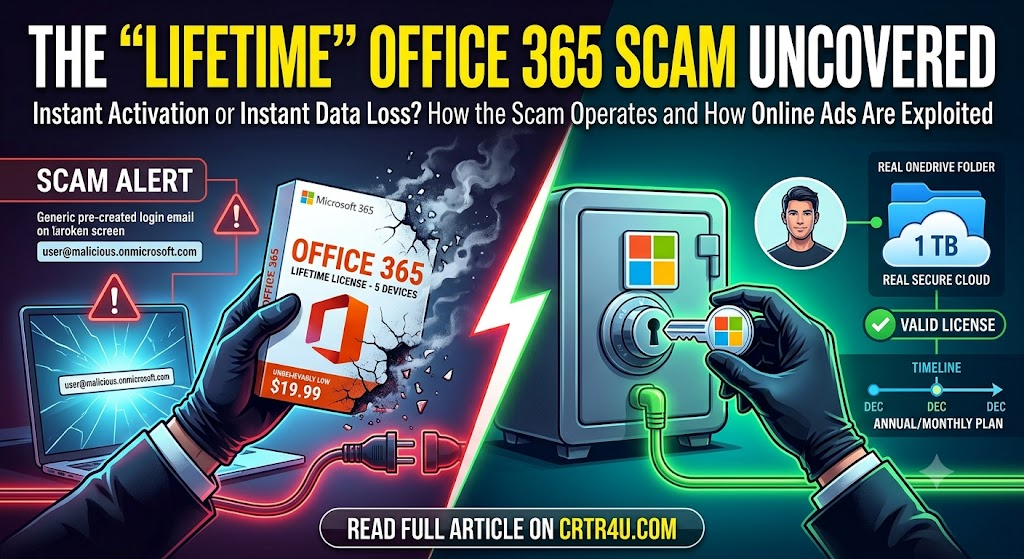
⚠️ The Red Flag: Microsoft never sells a one-time “lifetime” license for Microsoft 365 across 5 devices. Any advertisement claiming to offer this product structure is inherently unauthorized.
How the Scam Works Behind the Scenes
When you purchase one of these cheap “lifetime” packages, you do not receive a standard 25-character product key to register on your personal Microsoft account. Instead, the process unfolds as follows:
[Buyer Pays One-Time Fee]
        │
        ▼
[Seller Emails Pre-Created Login (e.g., user@enterprise-domain.onmicrosoft.com)]
        │
        ▼
[Buyer Installs Apps Under Enterprise Tenant]
        │
        ▼
[Microsoft Audits & Bans Unauthorized Tenant] ──► [Access Revoked & Cloud Files Lost]- Abusing Enterprise & Edu License Tenants:
Scammers gain administrator privileges over corporate enterprise tenants or discounted educational institution domains (often via compromised credentials or fraudulent registration). - Selling Unauthorized Sub-Accounts:
The domain administrator can create unlimited user accounts (e.g.,john@somecompany.onmicrosoft.com). They generate these temporary accounts and sell them individually online to unsuspecting buyers. - The Inevitable Shutdown:
Because reselling enterprise or academic slots violates Microsoft’s licensing terms, Microsoft routinely audits and terminates abused tenants. When the master domain is blacklisted, every sub-account attached to it is deleted instantly-whether that happens after two weeks or six months.
The Hidden Security & Privacy Risks
Beyond losing your initial payment, using an unauthorized organizational account carries severe privacy dangers:
- No Data Privacy on OneDrive: The administrative owner of an enterprise tenant has global rights to access, inspect, or delete any files uploaded to that tenant’s OneDrive cloud space.
- Sudden Lockouts: When the account is terminated, your local Office desktop apps switch to “Read-Only / Reduced Functionality Mode,” preventing you from editing or saving documents until a legitimate subscription is added.
- No Official Support: Microsoft Customer Support cannot restore access or recover files from a flagged, illegitimate enterprise tenant.
How Bad Ads Bypass Automated Ad Networks
┌─────────────────────────────────────────────────────────────┐
│                       ONLINE AD CYCLE                       │
├─────────────────────────────────────────────────────────────┤
│ 1. Scammer registers a new domain & submits ad campaign.    │
│ 2. Automated ad systems review the initial landing page.    │
│ 3. Ad goes live across partner sites (AdSense network).     │
│ 4. Users report fraudulent offer / System detects policy.   │
│ 5. Account suspended ──► Scammer spins up a NEW domain.     │
└─────────────────────────────────────────────────────────────┘
- Automated High-Volume Processing: Major ad networks process millions of ad submissions daily using automated scanners.
- Cloaking & Domain Swapping: Bad actors frequently use “cloaking” techniques-presenting benign landing page details during ad verification and altering the page or distributing unauthorized accounts after approval.
- “Whac-A-Mole” Enforcement: When an ad account is flagged for violating misrepresentation policies, it gets banned. However, scammers quickly spin up new storefronts and ad accounts under different names, staying one step ahead until caught again.
Legitimate Options for Microsoft Office
If you want legal, safe, and cost-effective access to Office software, consider these official avenues:
| Solution | Model | Best Used For |
|---|---|---|
| Microsoft 365 Family | Annual/Monthly Subscription | Split among up to 6 family members or friends (each gets 5 devices + 1 TB private OneDrive). |
| Office Home 2024 | One-Time Purchase | Installing desktop apps permanently on 1 PC or Mac tied to your personal Microsoft account. |
| Office Web Apps (Office.com) | 100% Free | Basic editing of Word, Excel, and PowerPoint directly in your web browser. |
| LibreOffice / ONLYOFFICE | Free & Open-Source | Desktop suites that open, edit, and export native Microsoft Office file formats (.docx, .xlsx). |
What to Do If You See or Bought a Fake Ad
- Report the Ad: Click the ad choices icon (ⓘ or
X) on any suspicious ad unit to submit a report directly through the ad platform’s transparency and safety center. - Request a Chargeback: If you purchased an unauthorized account using a credit card or payment provider (like PayPal), contact them immediately to report an illegitimate item and dispute the charge.
- Backup Your Files Immediately: If you currently use a login provided by a third-party seller (e.g.,
@onmicrosoft.com), move all documents off OneDrive to local storage right away before access is revoked.
Leave a Reply